IESCO Online Bill Check 2026
IESCO Online Bill Check 2026
Check your IESCO bill online through your reference number or customer ID here! IESCO (Islamabad Electric Supply Company) is one of the biggest companies in Pakistan that supplies electricity service around Islamabad, Rawalpindi, and nearby areas. IESCO online bill issues every month depend on electricity consumption. The consumer of electricity receives the IESCO detailed bills, which offer various benefits for consumers. They can understand their monthly usage and can control their IESCO bill payment by observing their daily usage and reducing their payments and avoiding overcharges and taxes.
How to Check Online IESCO Bill 2026?
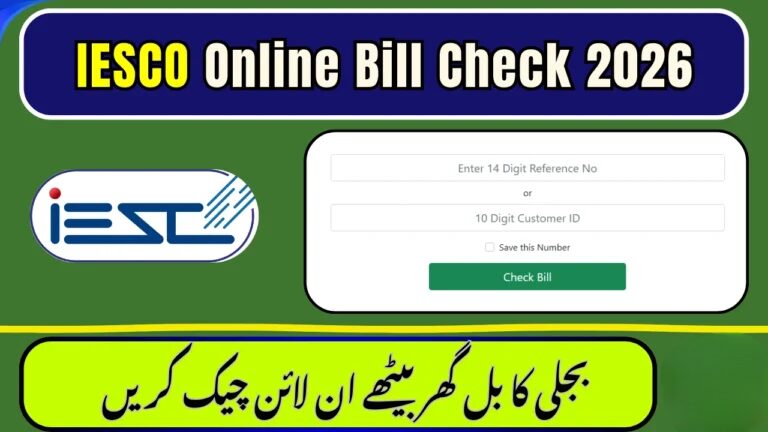
To IESCO Online bill Check 2026, just paste your 14-digit reference number or 10-digit customer ID on the given login portal, and you can get your IESCO online bill check on display. If you are unable to find the reference number or IESCO customer ID, you can find them in the top left corner of your IESCO bill.
Meter Reading and IESCO Billing | Complete Guide
The IESCO bill comes after a month, and the meter reading of all consumers is routine wise in a month. In a month, the usage of the monthly electricity is noted by staff of IESCO. Generally all the usage records are saved behind their IESCO database; consumers should adjust their consumption according to bills. Also, the consumers in every division are noted by different numbers of batches. In some batches, the meter reading is noted once a month on the same date.
How to Apply to IESCO for a New Connection 2026
If you are going to start a business, buy a house, or live as a tenant, you will need an IESCO electricity connection in Islamabad. To apply for an IESCO bill online, visit the ENC portal or the nearest local IESCO office.
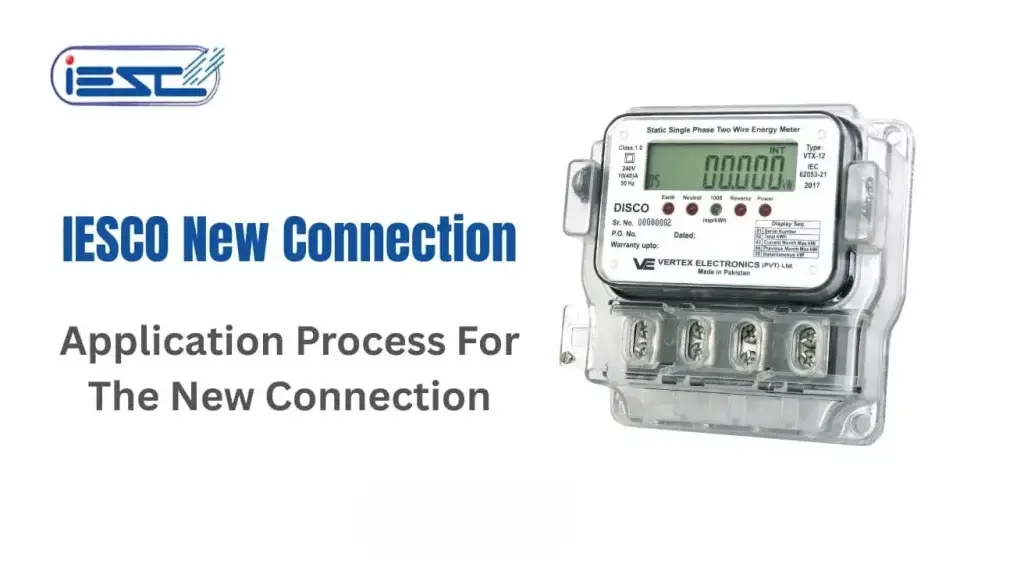
To apply through the ENC portal, read the complete guide given below.
- Open the ENC portal (website)
- Click on “Apply New Connection.”
- Fill the given online application form
- Upload needed documents
- Submit the form after completing it and get a tracking number.
Required Document attached
Remember! Always, these document will attached with your IESCO application
- Copy of CNIC (applicant)
- Proof of house ownership (registry or property papers)
- Your neighbor’s IESCO bill copy
- Wiring record from professional and Authentic electrician
- If you are tenant, attached NOC from the owner.
- A CNIC copy any witness
Submit Documents to IESCO Office
- If you are applied to IESCO Online Bill Check, after that,
- Complete all of the paperwork, make a file, and send it to your IESCO Sub-Division Office.
- Try to submit your file within 21 days; otherwise, your application may be denied.
Survey of Location by IESCO Officers
The IESCO officers will visit your location for verifications for the given documents. The wiring and the load requirements will be checked for a new IESCO bill connection. All these processes will take a few days after the submission of the file.
Demand Notice & Meter Installation
- After completing all the process and approvals, the IESCO will send a demand notice and also send an SMS verification
- Pay the fee that you will receive through a demand notice or SMS notification; the approval fee is approximately PKR 10,000 – 25,000, which will depend on different locations and loads of electricity.
After paying the IESCO connection fee
- IESCO will send technicians with connection order and they will installation your meter
- All the processes of approval and complete installation will take 30-45 days approximately.
Disconnection Reason IESCO
Voluntary Disconnection
For disconnecting your IESCO meter or connection permanently, use the guide given below:
- You have to visit your subdivision office.
- Submit a written application for IESCO disconnect permanently with CNIC, last month’s IESCO bill, and house ownership
- Make sure you have clear all pending IESCO bills
- After all that, the IESCO will disconnect your connection permanently
Forced Disconnection
The reasons for disconnection are the meter or electricity connection on the following grounds:
- The consumer is a thief of electricity or a defaulter.
- Not paying the electricity IESCO Online bill
- IESCO Connection will disconnect if consumers illegally reconnect the electricity connection.
- Using extra load by given required electricity load
Reconnection IESCO Connection
Disconnection Due to Unpaid Bills
If your IESCO connection has been disconnected due to unpaid bills, then you have to follow these steps:
- Pay your all dues and reconnecting connection fee
- Submit request of reconnecting
- The connection will continue after paying the fee and submitting the application.
Reconnection after Permanent Disconnect
If you removed your previous connection and want a new reconnection, follow these steps:
- For an IESCO new connection, apply for a new connection on the ENC portal
- Again, attached are all the needed documents, and pay your demand notice of new connection, and after a few days, the IESCO officer will install your new electricity connection.
Consumer Complaints & Helpline
The services of IESCO Helpline & Customer Care:There are several problems that may occur, such as power outages, overbilling, meter issues, etc. To solve the IESCO bill issue, customers can register online complaints through the official IESCO web portal, SMS services, and more given below.
Online Complaint Registration & Email Complaint
The best method for online complaints is the IESCO web portal, where the users can complain and also can track their bills.
- Open the IESCO web portal and select “Register Complaint.”
- Put your details and reference number with issue you have
- After describing your issue and submit the complaint, will receive a Complaint ID with that users can track their complaint status
Email complaint: Users can also send their complaint with details on Gmail: complaints@iesco.com.pk
- Name
- Address
- Reference number
- Register CNIC
- Issue described in detailed
IESCO Bill SMS Service & Customer Service Center
To directly complain, users may visit the IESCO Customer Service Center or their subdivision office. Submit application directly to the service center. Street #40, Sector G-7/4, Islamabad
- Users can also send their complaints through SMS 8118
- Send SMS on 8118 and describe your problem, putting your reference number
- IESCO <Your Reference Number>
IESCO Bill Taxes Explained
Common Taxes You May See on an IESCO Bill Online Pakistan.
Commonly the taxes or charges on a bill may include the following:
- Fuel Price Adjustment (FPA)
- Electricity Duty (ED) – (1% to 1.5%)
- General Sales Tax (GST)
- Neelum-Jhelum Surcharge – (Typically around 1%)
- PTV Fee – (PKR 35 charge)
- Quarterly Tariff Adjustment (QTA)
- Late Payment Surcharge (LPS)
IESCO Bill Payment Methods
There are several platforms where the consumers of Islamabad Electric Supply Company (IESCO) can pay their bills easily. Most of the platforms offer offline or online IESCO bill payment methods, so the consumers don’t need to go to any local shops and offices to pay IESCO bill payments.
IESCO bill payment methods in Pakistan are given below:
Mobile Wallet Apps
To pay all electricity bills, like IESCO and MEPCO bill payments, etc., is the easiest and quickest way from the mobile wallets.
The popular mobile wallets in Pakistan include
- Jazzcash
- Easypaisa
- NayaPay
How to Pay IESCO bill Payment via Mobile Wallet in Pakistan?
- Just open the app and tap to bills.
- Select electricity, then select IESCO
- Enter IESCO online bill check 14-digit reference number
- Confirm your payment and put in your MPIN or PIN for the app, and you’re done.
Bank Mobile Apps & Internet Banking
There are several bank apps or internet banking portals that allow paying IESCO bill payments. Some of them are given below:
- United Bank Limited
- Allied Bank
- Habib Bank Limited
- Meezan Bank
- Bank Alfalah
- MCB Bank
How to Pay IESCO Bill Payment via Mobile Apps and Internet Banking Portals in Pakistan?
- Open your bank apps and select Bill Payments / Utility Bills
- Select IESCO from the list and enter your reference number
- Verification the bill payment with PIN or OTP and done.
ATM Machines & Bank Branch Counters
You can use your ATM to pay your electricity bill at only a few banks.
- Enter your ATM PIN like (****) after inserting your ATM card in the ATM machine
- Select the Utility Bill Payment and choose IESCO.
- Enter your 14-digits reference number and pay the IESCO bill
Frequently Asked Questions
How to IESCO bill online check by reference number?
To IESCO bill online check or pay the IESCO electricity bill online in Pakistan by reference ID, visit the official web portal of IESCO, or you can check our website.
How to download or print a duplicate IESCO bill online in 2026?
Visit official IESCO website for IESCO Duplicate Bill Download & Print electricity bill.
Is the IESCO bill online check by CNIC?
No! The IESCO bill check by reference number or customer ID, otherwise not.
How to check electricity bill is paid or not?
You can check through the official PITC bill website. Enter your electricity company, like MEPCO, IESCO, etc. After entering your reference ID, you can view your bill.
Conclusion
IESCO online bill check 2026 Pakistan 2026 through the official method is simply easy by web portal and also using the 8118 SMS service. To stay updated about electricity bill online check, IESCO bill payment methods, IESCO bill checks by reference number, IESCO bill download, or IESCO bill payment due dates & late fees, follow our website and WhatsApp channel. Furthermore, you must have knowledge about IESCO Online Bill Check 2026, electric power, and electricity to control your IESCO bill expenses and understand all the processes of electricity, meter reading, and everything else. Hope the IESCO Online Bill Check 2026 blog will be helpful. Thank you